Discontinued Greats: The Marshall Shredmaster

Back in the 90s (circa 1993), I had been playing for a few years and had spent all my summer job money on a vintage Vox AC-30. It is truly an amazing amp and still is today but being a one channel non master volume amp, the only way to get some overdrive out of it was to crank it. And believe me, a cranked AC-30 is pretty loud – as in bandmates covering their ears the fist time I did it.

Anyway, I decided to buy a distortion pedal and back in those days there was not the choice we have today, especially in a pre-internet smallish student town in Eastern France. So I went to the local store and the guy said: “we have these new Marshall pedals, pretty cool to get a Marshall tone out of a clean amp”. So I bought a Marshall Shredmaster and it was my main distortion pedal for a good 10 years.
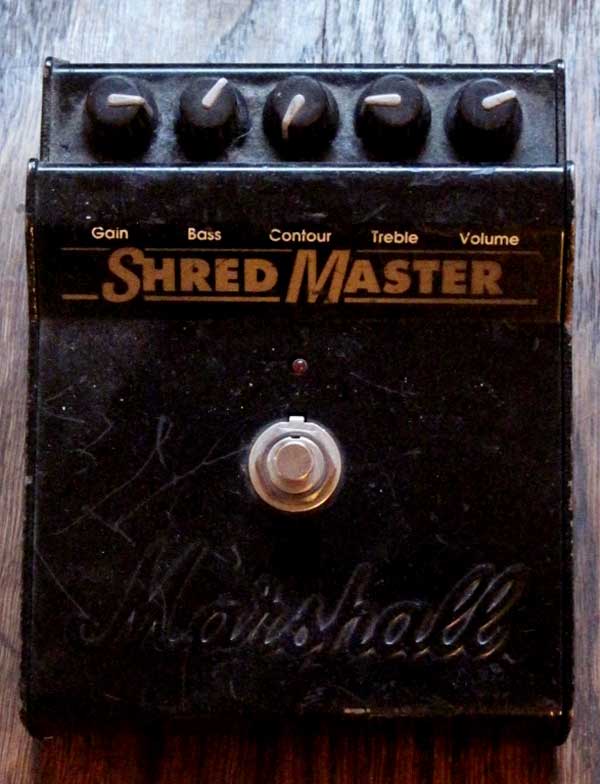
Marshall Shredmaster
My 17 year old battered Shredmaster

The Shredmaster was not the first pedal Marshall had released. In the 80s, they had one pedal on offering, the “guv’nor” which is still coveted by some players today. In the early 90s, they released three pedals aimed at different publics: the Bluesbreaker, the Drivemaster and the Shredmaster.

The Bluesbreaker was a pretty light overdrive, the Drivemaster was supposed to sound like a Marshall JCM-800 (think classic rock) and the Shredmaster was a high gain pedal. It would not qualify as very high gain nowadays but at the time it was. The Shredmaster has been replaced in the Marshall pedal lineup by a much higher gain model: the jackhammer. As its name indicates, it was aimed at the shredding audience but the most famous guitarists to have used it are not exactly known for shredding, I am talking about Thom Yorke and Jonny Greenwood of Radiohead. Actually, once it was known they were users of the Shredmaster, the prices for the pedal on the second hand market rose considerably.

The Shredmaster has a lot of fans but also a lot of detractors, I know that a lot of guitarists who have tried it or owned it think it does not live up to its reputation. Quite frankly, I think the Shredmaster was truly one of the first “Marshall in a box” pedal: properly setup and plugged in a good tube amp, it really does wonders. Mind you, as I have mentioned earlier, it does not have that much gain depending on your perspective and this is where people get disappointed if they expect a “death metal” kind of tone, although it can probably do it with the right type of guitar and/or a boost.  That said I think it does cover everything from blues to classic rock and 80s shredding alike while retaining a true Marshall color. Moreover, the equalisation section featuring bass, treble and a contour knob to scoop frequency is pretty efficient. It is completed by the classical gain and volume knobs. I find the gain most efficient between 2 o’clock and the maximum setting, the first half is frankly a bit useless. The volume will give you a nice boost but nothing over the top.

I have recorded several videos of the Shredmaster plugged into a little 5 Watt all tube Fender Silverface Champ. It is a fairly bright amp so I had the following settings:

  • On the Champ: Volume 2.5, Bass 10 Treble 2
  • On the Shredmaster : Gain 3 o’clock, bass 1 o’clock, contour 8 o’clock (minimum), treble 9 o’clock, volume 2 o’clock

The Shredmaster is plugged directly into the Champ which was miked by a Shure SM-57. The reverb was added in Cubase 5 afterwards and I used the Reverence 3s Plate Reverb setting.

With a Gibson SG 61 Reissue, here is how it sounds:

And with a 1978 Telecaster equipped with stock pickups:

And a last one with the SG that shows a more “classic rock sound”:

I have improvised in these videos so pardon the mistakes.

The Shredmaster is not made anymore so you will have to look on the second hand market to find one. You might also want to check the Hellrazor from Pure Analog Effects which is a very reasonably priced Shredmaster clone. There is also word that the distortion side of the  Jekyll and Hyde from Visual Sound has a circuit close to the Shredmaster but I must say that the samples on the vendor’s website sound a lot heavier than a Shredmaster so I am not too sure about that.

Whether you find a real one or get a clone, happy shredding!
Two years with the BOSS Micro-BR Part 2

In Part 1, I have presented the recording, mixing and bouncing capabilities of the Boss Micro-BR recorder. I would like to present now the mastering and instrument practice features of this little shiny machine. We will also see how we can export our masterpieces but also how we can import material.

Recording Addendum

In my precedent piece, I forgot to mention the punch-in/punch-out functionality, shame on me! So please know that the Micro-BR will allow you to define a hands-free way to record between two points in time. So if you have recorded a 20 minute guitar solo, as we all do, but you are not satisfied with a 10 second bit right in the middle, you can record over this bit very easily, just tell the Micro-BR where to start and when to stop recording.

Mastering

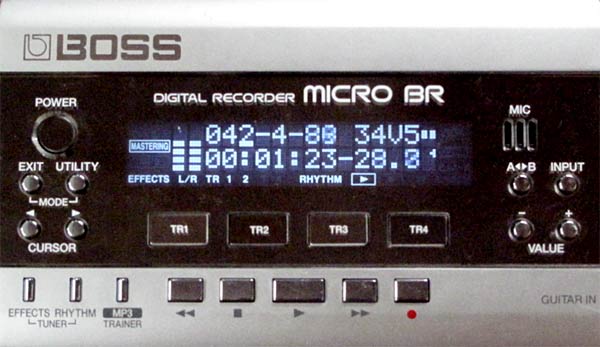
The Micro-BR has a mode dedicated to mastering. This mode embodies the “final phase” of music production. It allows you to work on the sound (and loudness) of the final mix. It uses the built-in multi-effect unit to process the final mix. The following stages are available :  input gain, compressor, equalizer, limiter and output gain. The compressor is three band (which is pretty awesome for a machine like this). You can chose the band frequencies through the input gain stage which is a bit counter intuitive. You can set different ratios, threshold and attack/release times for bass, mids and trebles. The equalizer has also three bands and can boost by 6db or reduce by 80 (!).

Micro-BR mastering

The limiter has a threshold and attack/release settings, it will ensure you are not distorting the output. The input gain will boost the signal before it is compressed/equalized/limited while the output gain will boost it afterwords. All in all, this makes out for pretty drastic changes. I find it especially useful to reach an acceptable level of volume. Now of course your version of acceptable might not be mine 😉 You can record the results of this mastering phase onto virtual tracks (see Part 1 ) and the Micro-BR will then ask you if you want to produce an MP3 file (128 Kbps or 192 Kbps) or a Wave file of the recording. After some processing time, the file is available for you to copy using the USB port integrated to the Micro-BR to connect to your favorite computer. And voila.

Here is a mix BEFORE mastering:

Audio MP3

And now AFTER mastering, I have put some compression, reduced the mids a bit and moderately increased the overall volume:

Audio MP3

You can click on the “play” button of these two players alternatively to check out the difference.

Note that mastering is pretty much an art and it will take a lot of trials and errors before you will get it right.

MP3 Trainer

A quite important feature of the Micro-BR is the MP3 trainer functionality. Via the USB port I mentioned earlier, it is possible to copy MP3 files onto the recorder to use them to jam along. The Micro-BR is picky in terms of format and I find that only 128Kbps MP3s will work without flaws. If you are working on a piece that is particularly fast, you can slow it down without altering the pitch (awesome to learn scorching guitar solos). As always with time-stretching technology, the more you steer away from the original speed, the “funnier” the song is going to sound but it is very useful nonetheless. You can also “cancel the center” of the song you are jamming along with which will remove part (or all) of the main vocals or the main lead instruments. This is based on the fact that these are often mixed in the center of the stereo spectrum.

Micro-BR MP3 Trainer
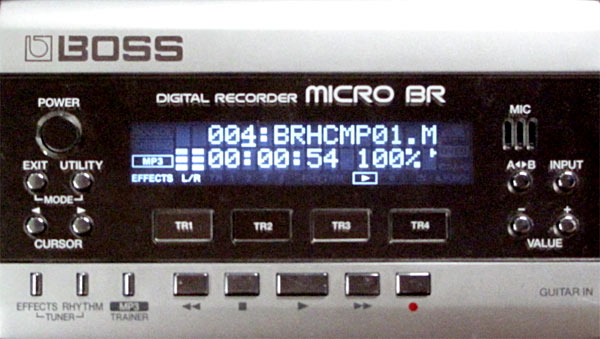
The Micro-BR in MP3 Trainer Mode - 100% means that the song is played at its original speed

Importing/Exporting

We have seen earlier how it is possible in mastering mode to export a whole mix in Wave or MP3 format. It is also possible to export a single track to an MP3 or Wave file. It is conversely possible to import a Wave file or an MP3 file into a track. Just use the USB connection to your computer to copy files to the MP3 folder of the Micro-BR and they will be available for importing. When you import you can decide where the imported sample will be inserted exactly.

Read the manual and use the tuner

The Micro-BR packs a lot of functionality in a little package and they are all well described in the manual so be sure to read it (not like me).Moreover there is a quite active online community around the Micro-BR on bossbr.net (check out the forums). And this post would not be complete without mentioning the excellent integrated chromatic tuner, there is no excuse to be out of tune when you record anymore!

Conclusion and wishlist for version 2

I must say that after two years of constant use I am quite impressed with the Micro-BR, it does quite a lot for a reasonable price and is an awesome companion to any musician really. There is a number of things that I would love to see should a version two come to the market: faster loading time, the tempo bug mentioned in part 1 solved, a normal size jack for the line/external mic input, a “per track” mute/solo function, the ability to export all tracks to seperate files at once and a pitch shifter/octaver. I will pray to the Boss gods for all this to happen.

Related Posts with Thumbnails